Recommended network
Wi-Fi IPv4 is surfaced as the best local address. IPv6, cellular and advanced interfaces stay out of the way until needed.
MonoProxy for Android shares a single local HTTP, HTTPS CONNECT and SOCKS endpoint with nearby devices, then shows whether the network, listener, client and real traffic path are actually working.


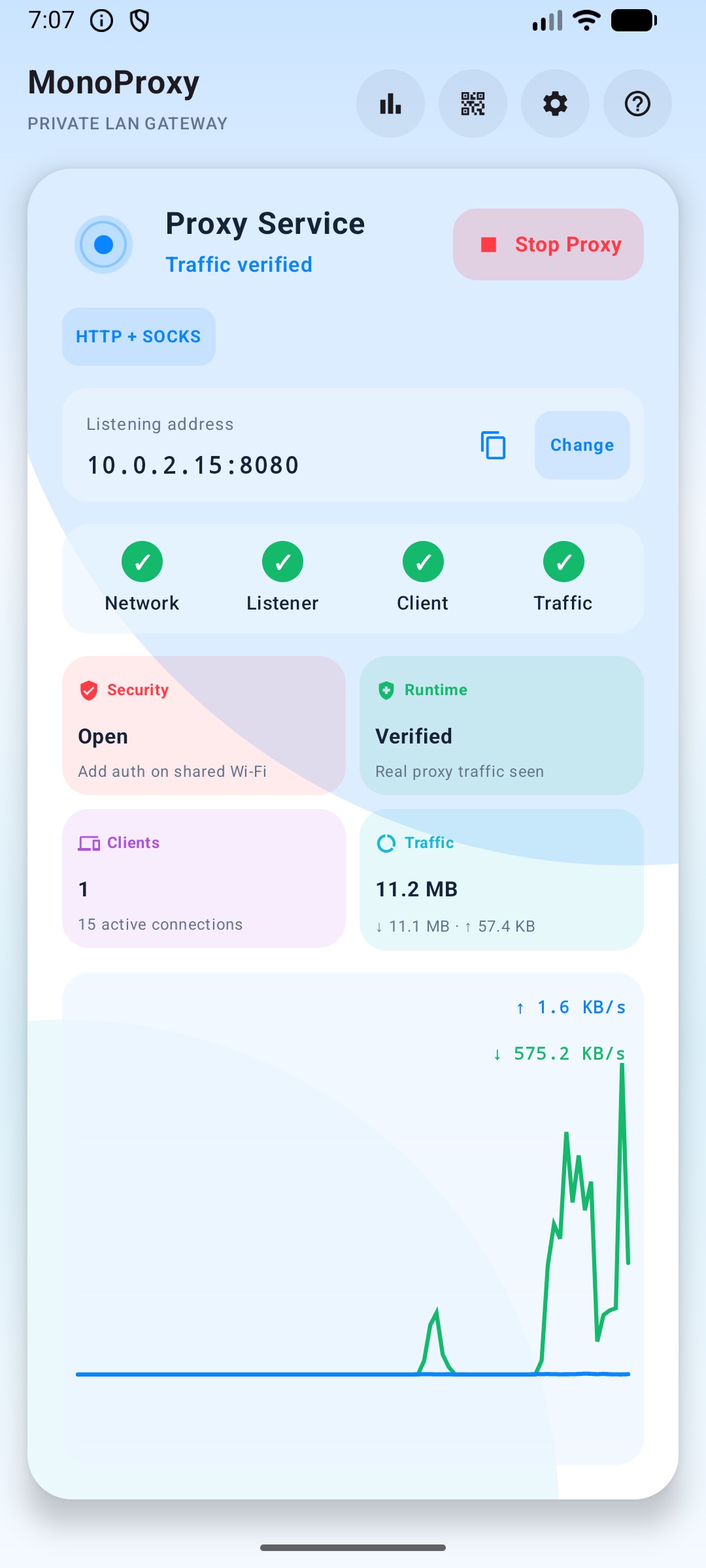
The Android version keeps the main screen operational: selected address, protocol mode, connection path, four status blocks, live wave chart and one obvious action to connect another device.
Wi-Fi IPv4 is surfaced as the best local address. IPv6, cellular and advanced interfaces stay out of the way until needed.
Clients can open /setup to copy values, download PAC and run a reachability test before proxy traffic starts.
Network, Listener, Client and Traffic each have a visible state, so "running" is not confused with "verified".
Connect device, copy address and stop are available from the persistent foreground notification.
The Android flow is designed for the real support problem: users need to know which address to use, where to paste it, and whether traffic really passed through the phone.
Pick the reachable local interface, not a cellular or system address clients cannot see.
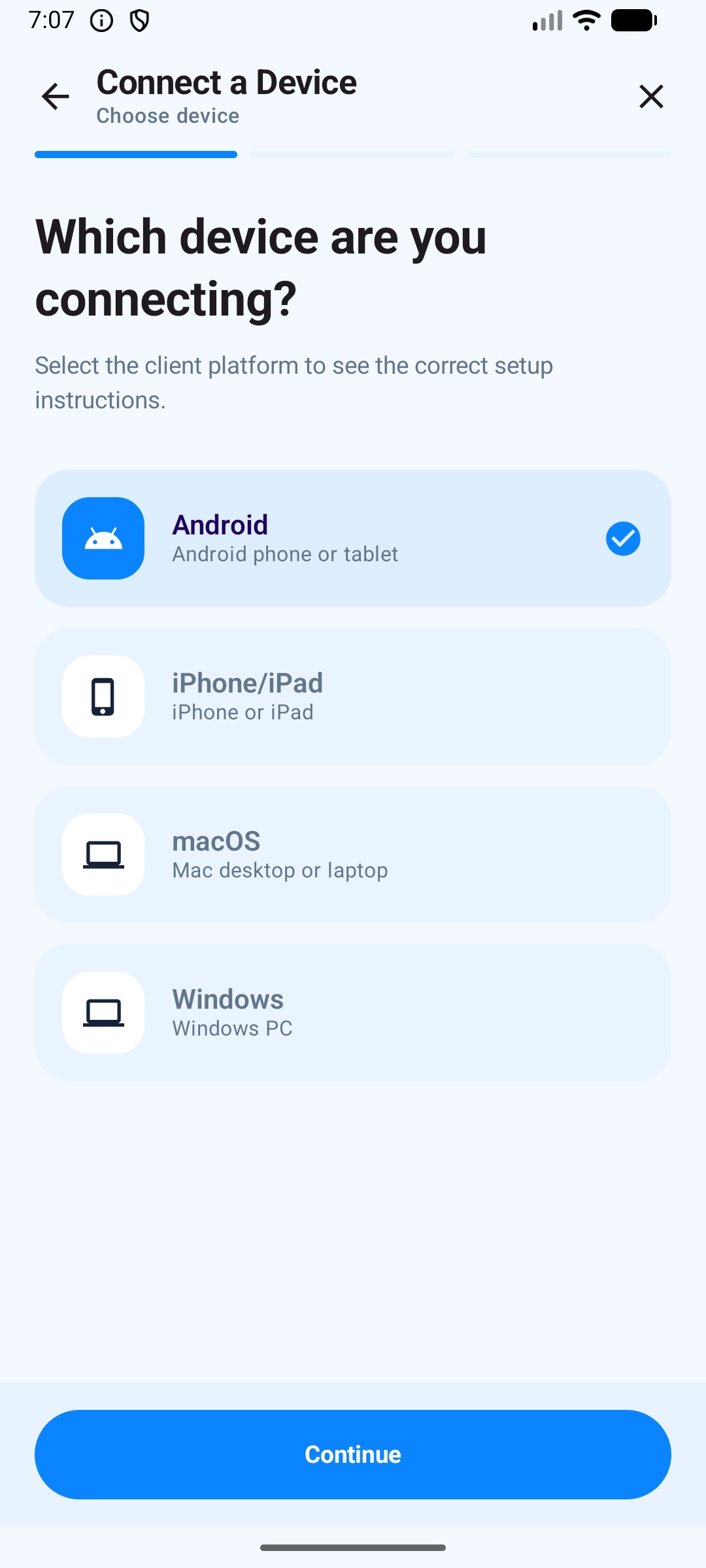
Use the full-screen flow for Android, iOS, macOS or Windows client setup.
The wave chart and status blocks update only after real client activity reaches the proxy path.
Run MonoProxy once, then point nearby laptops, desktops, tablets and test devices at the phone's local endpoint.
MonoProxy does not create a device-wide VPN. It binds proxy upstream sockets to the selected Android network, so client traffic can exit through default routing, Wi-Fi, cellular or an already-active VPN network. Useful when only the phone has the desired VPN route.
Follow Android's current default network for normal proxy use.
Send proxy upstream traffic through the active VPN Network when available.
Prefer a Wi-Fi network for stable LAN and internet access.
Route upstream requests through mobile data when that is the intended exit.
MonoProxy combines setup, security, runtime visibility and device control in one local-first Android app.
The Android home panel keeps the service state, selected endpoint, connection path, session traffic and live rate trend visible at once.
Choose a client, configure proxy values, then verify reachability and traffic without squeezing everything into one dialog.
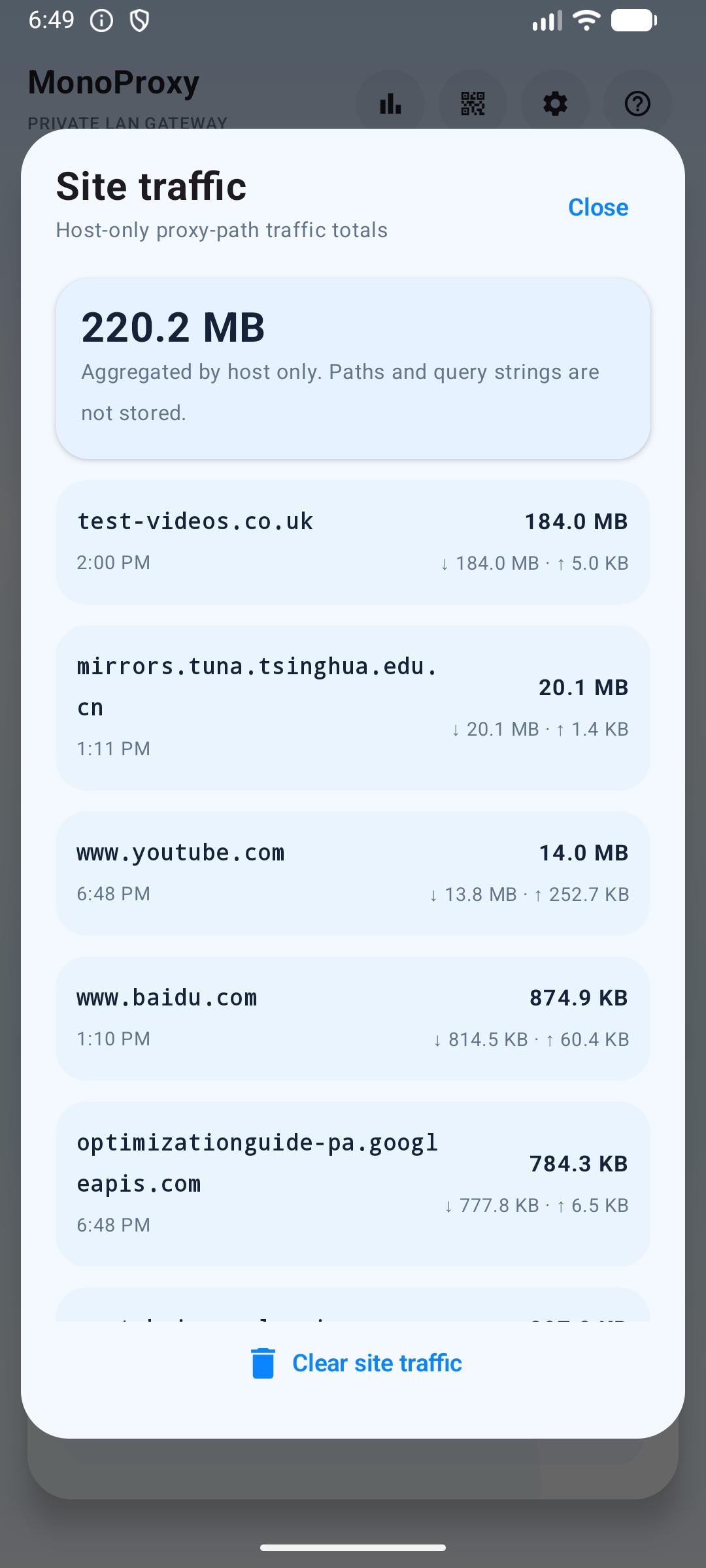
Site traffic is aggregated by host, with upload, download and last activity totals kept locally on the phone.
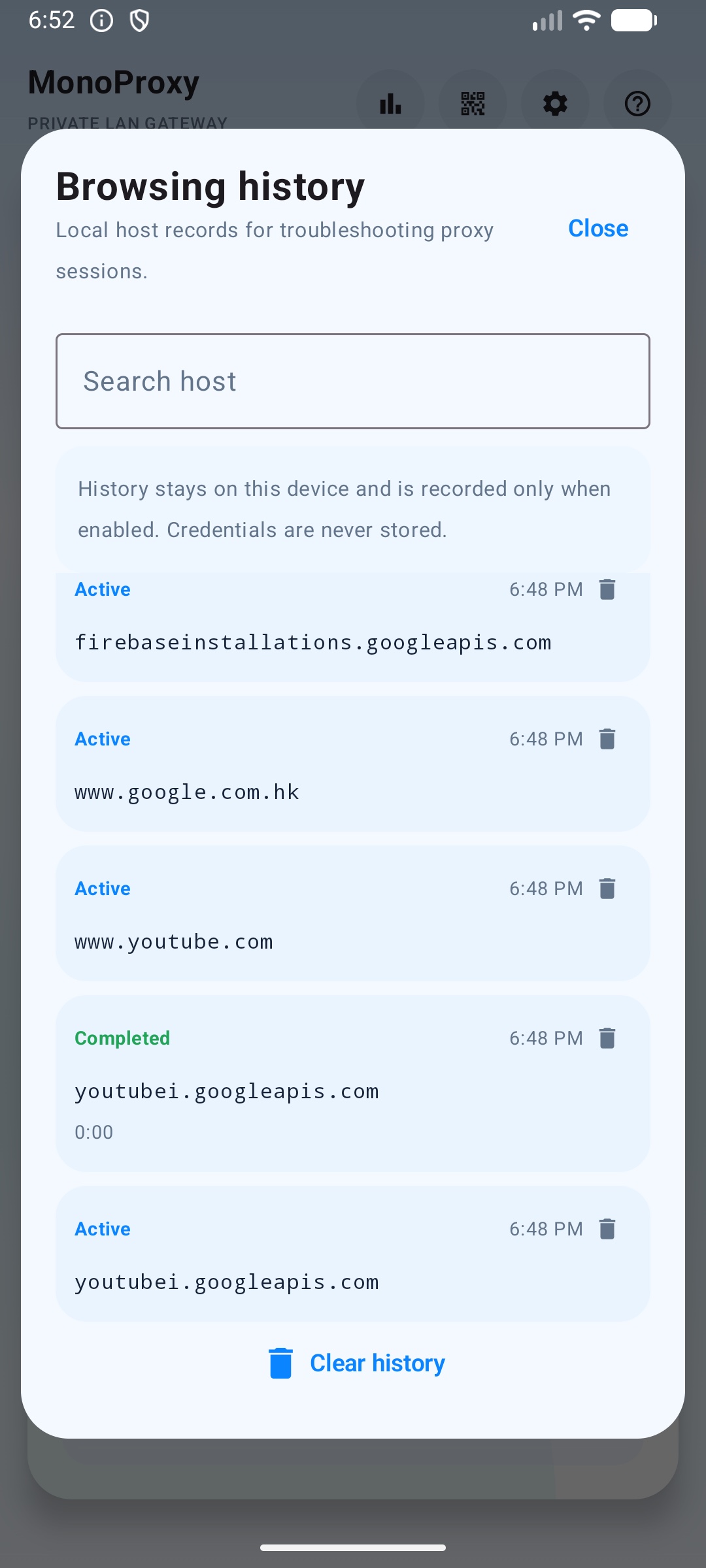
Browsing history records host-level proxy sessions only when enabled, so connection problems are easier to explain without storing paths or credentials.
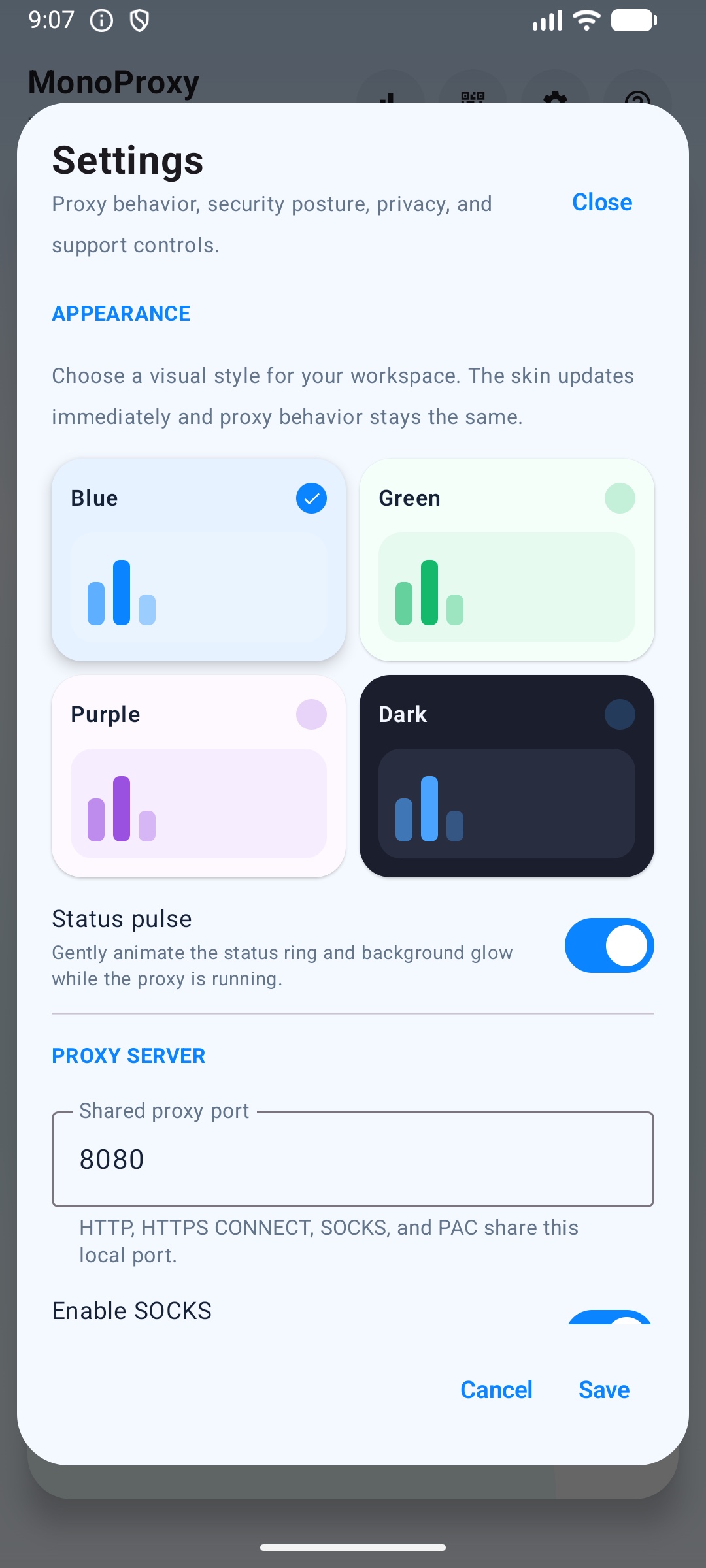
Configure SOCKS, authentication, private LAN access, outbound network mode, trusted network resume and local analytics.
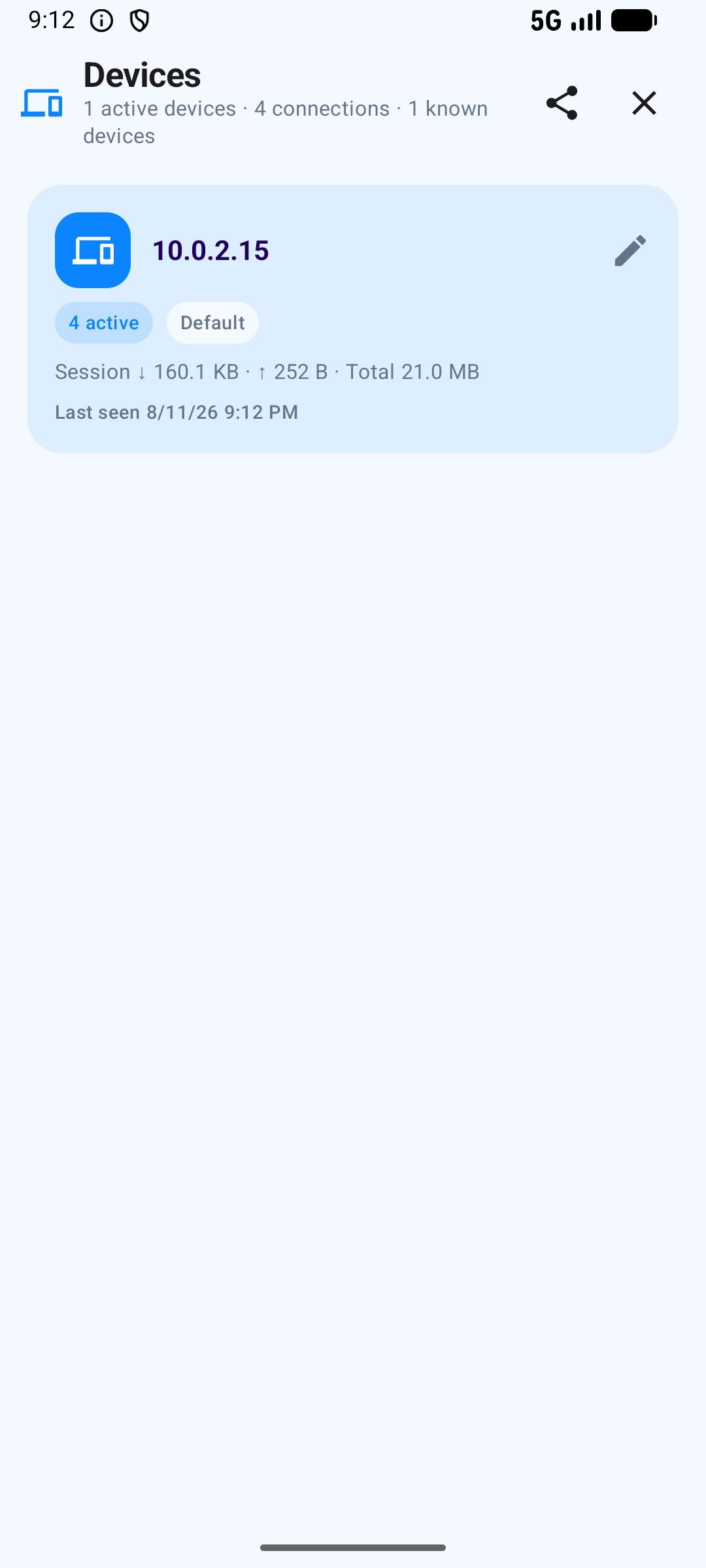
Group clients by IP, add aliases, disconnect sessions, temporarily block devices and apply per-client limits for connections, bandwidth and quota.
MonoProxy for Android runs on the phone without accounts, subscriptions or in-app unlocks. It relays client connections and keeps operational data local to the device.
Use username and password protection for HTTP and SOCKS5 clients on shared networks.
Private clients only is the default posture, with allow and block controls for stronger policy.
HTTPS CONNECT traffic is tunneled without certificate installation or content inspection.
Aliases, usage counters, site totals and device policies are local runtime data, not a cloud account.
Buy once on Google Play, start the listener, connect nearby devices and verify real traffic from the phone.